
Some 3DS games need extra files from a real console to run in Citra. These are your AES keys, the shared fonts, and a few system files. Without them, games may fail to open or show missing text. You get them from a 3DS you own. This guide explains each file, why it matters, and how to add it.
Why does Citra need system files?
Not every game needs them, but some do. There are two reasons. First, many 3DS games are encrypted, and Citra needs your keys to read them. Second, some games rely on data that normally lives on the console, like the system font. If those files are missing, a game may not open, or it may show blank text. You supply all of these from a 3DS you own.
What are AES keys in Citra?
AES keys are the encryption keys the 3DS uses to lock its games. Citra needs them to unlock and read encrypted games. Without them, Citra shows a missing keys message and cannot open some titles.
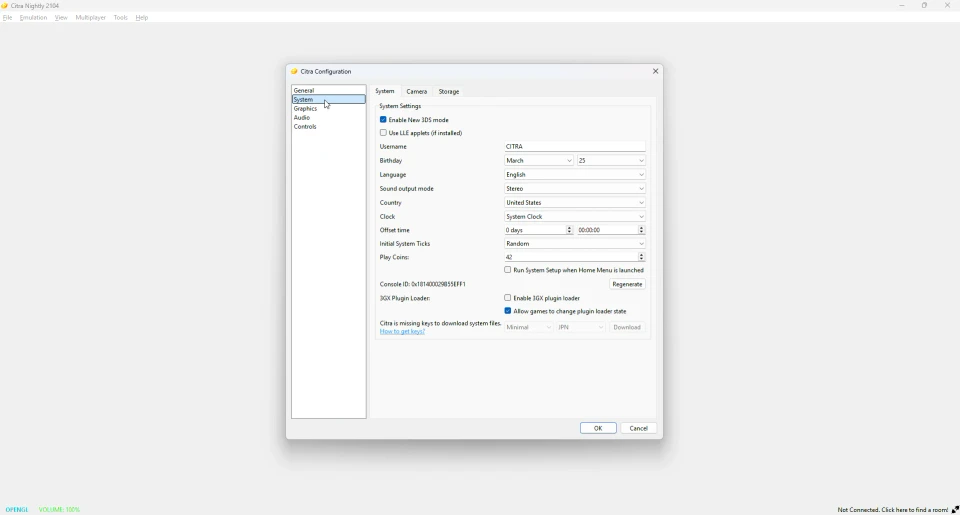
These keys come from your own 3DS. You dump them once, add them to Citra, and encrypted games start working.
How to add your AES keys
Once you have your keys from your console, adding them is simple. The keys go in a file named aes_keys.txt, or come from a boot9.bin file. Place the file in Citra’s system data folder. Citra reads it on the next launch. Our user directory guide shows exactly where that folder is.
What are shared fonts?
The shared font is the text font built into the 3DS. Some games do not include their own font and use this one. If it is missing, those games show blank or broken text. You dump the shared font from your own console, then add it so text appears correctly.
What are system archives?
System archives are small pieces of system data that a few games check for. They are part of the console’s own software. Most games do not need them, but some will not run correctly without them. Like the other files, you dump these from your own 3DS.
What is the config savegame?
The config savegame holds your console’s settings, like region and language. A few games read it to set themselves up. Adding it helps those games start with the right region and avoid errors. It also comes from your own console.
Where do system files go?
All of these files live in Citra’s system data folders, inside the Citra user directory. Each type has its own place. Putting a file in the wrong spot means Citra will not find it. Our user directory guide maps out every folder so you place each file correctly.
How to get these files
You dump them from a 3DS you own, the same way you dump games. The process uses the same homebrew setup and tools. Our how to get games overview covers the basics. Our dumping 3DS games guide covers the tools you need. If a game shows a keys error, our troubleshooting guide can help.
Do these work in Azahar?
Yes. Azahar uses the same system data layout as Citra. Your keys, fonts and system files work there without changes. See our Citra vs Azahar page for more.
Frequently asked questions
What are AES keys in Citra?
They are the 3DS encryption keys Citra needs to read encrypted games. You dump them from your own console.
Why does Citra say it is missing keys?
It means your AES keys are not added yet. Add them from your own 3DS to fix encrypted games.
How do I get the shared font for Citra?
You dump it from your own console, then place it in Citra’s system data folder.
Do all games need system files?
No. Many games run without them. Encrypted games need keys, and some games need the font or system data.
Where do the keys go in Citra?
In Citra’s system data folder, inside the user directory. Our user directory guide shows the exact path.