
macOS
This guide will show you how to install Citra Emulator on macOS. You can install it using the pre-compiled release (recommended for beginners) or build it from source if you want full control.
Download Citra for macOS
Name | Citra MacOS Universal |
Size | 59.5 MB |
Version | 2104 Nightly |
Developer | Citra Team |
Release Date | 4 March 2024 |
Download |
Installing Citra on macOS
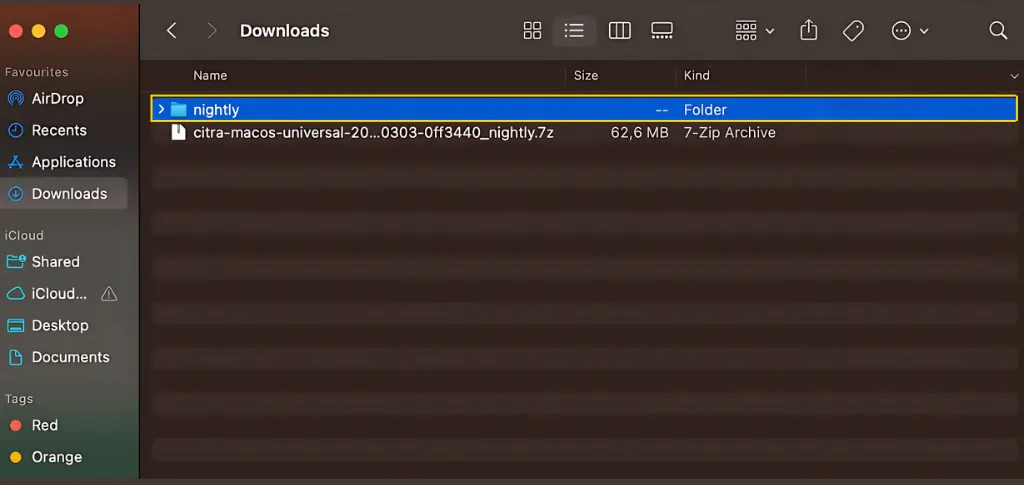
1. Extract the Downloaded File
After downloading the macOS version of Citra, extract the ZIP file.
2. Open Citra
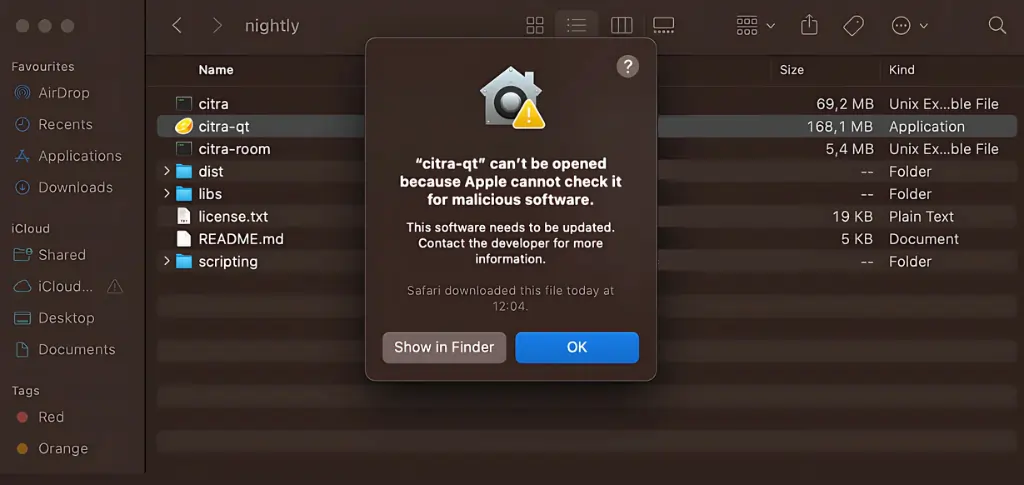
When you try to launch Citra for the first time, macOS will show a security warning saying it cannot verify the app.
To open it:
- Click Show in Finder
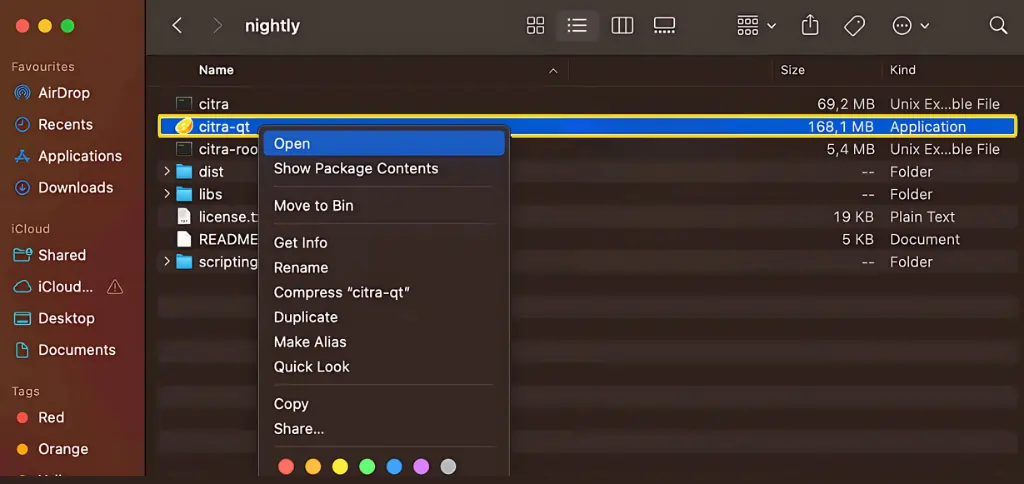
- Control-click (right-click) the Citra app
- Select Open
- Confirm again when macOS asks
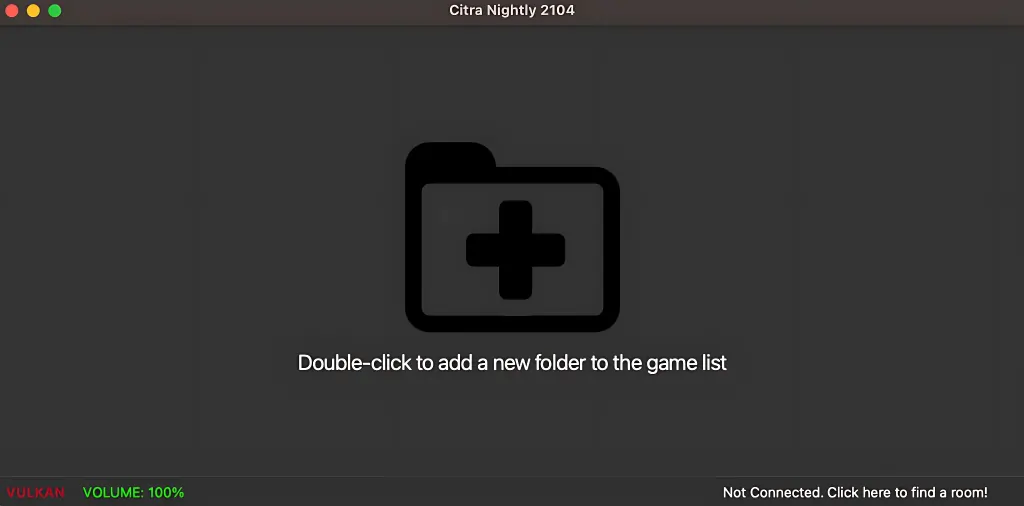
After this, Citra will launch normally. You have now successfully installed Citra on MAC.
Building Citra From Source (Advanced Users)
If you prefer building Citra manually, here’s what you need.
Requirements
It’s recommended to use Homebrew to install all dependencies. To build Citra from source, you must download and install:
- CMake (brew install cmake)
- A recent version of Xcode
- Xcode Command Line Tools
- Citra Source Code (old version or new version)
Using CMake to Configure the Build
Create a Build Folder
Open Terminal and run:
mkdir build
cd build
cmake
This generates all necessary makefiles.
Building Citra
Run the build command: “ make -j4 “
Once the build finishes, you’ll find a citra-qt.app file here: “ build/bin/.”
This is your compiled version of Citra.
Keep in mind:
- This build is non-portable (works only on your machine)
- To create a portable version, run: “make bundle”.
Your distributable bundle will appear in: “ build/bundle/.”
Building on Apple Silicon Machines
You can build Citra on ARM-based Macs as well. Here’s what you need to keep in mind:
- Use ARM Homebrew: Make sure your Homebrew installation is the ARM version (default for Apple Silicon).
- Cross-Compiling Citra: If you’re building on Intel for ARM, use: cmake .. -DCMAKE_OSX_ARCHITECTURES=”arm64″ or If you’re building on ARM for Intel, use: cmake .. -DCMAKE_OSX_ARCHITECTURES=”x86_64″
Everything else in the build process remains the same.